

Browser extensions which improve Twitter & YouTube. Control Panel for Twitter: https://www.nitter.gq/t.co/DW7BMuwp9U Control Panel for YouTube: https://www.nitter.gq/t.co/kVLOeuAnnA
Brisbane, Australia
Joined February 2023
- Tweets3.5K
- Following84
- Followers5.5K
- Likes3.7K




Pinned Tweet
You don't need to suffer the X app on your phone - Control Panel for Twitter also works in mobile browsers!
スマートフォンの X アプリの不便さに我慢する必要はありませんControl Panel for Twitterはモバイル ブラウザーでも動作します!
soitis.dev/control-panel-for…


An amusing % of this blog post about the new VS Code design is about the options they're adding to turn off stuff which was supposed to be an improvement
code.visualstudio.com/blogs/…

4
25
1,275

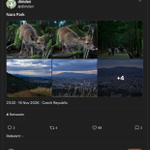
Control Panel for Twitter v4.99.3 adds a grid view options for images in the new X UI, and a new options style for people who were enjoyers of the pre-v4.99 options layout
Release notes: github.com/insin/control-pan…


One difference from the grid view in the old UI: when a Tweet has more than 6 images, clicking on the + in the last image will show them all in the grid, instead of taking you to the full-screen viewer carousel


Screenshots are using:
- The new UI - www.nitter.gq/i/xweb if you have CPFT v4.99 installed
- Monokai Extended dark mode theme for the new UI
- Custom CSS to deepen the built-in orange theme colour (source in this Tweet: www.nitter.gq/ControlPanelFT/status/…)


Today I discovered the mechanism by which Apple are eventually going to force me to install macOS Tahoe and its Liquid Ass UI


The blanking out thing in the new X UI isn't just on mobile, where I initially noticed it - if you scroll fast enough the entire UI flashes, not even sure how you'd end up doing this in a React app
Old UI is in the second tab for comparison
After 8 days of being able to Tweet 20 photos at once, but only being able to browse them via a completely unsuitable carousel, we're bringing grid view to the new X UI
Happy Tweeting

The new X UI could do with some perf love on mid Android devices, completely blanks out when scrolling the Home timeline in both directions
Hey, Sweden!
What the frick have you been doing to Chrome Web Store numbers?
Have there been any writeups about what happened here?


1
24
2,026
Apparently it was Helium Browser spamming the Chrome Web Store with extension update requests:
github.com/imputnet/helium-s…
reddit.com/r/chrome_extensio…

8
1,078
I found out why scrolling down is weird for me on both mobile Twitter and YouTube on Firefox for Android - it tells pages to reserve space for the bottom UI even if you've configured it to use top UI:
bugzilla.mozilla.org/show_bu…
If this is also you, you can apply this Custom CSS in Control Panel for Twitter to fix it (source in ALT text) - we'll also add Custom CSS to the next version of Control Panel for YouTube

ALT /* rweb */ [data-testid="BottomBar"] { padding-bottom: 0px !important; } /* xweb */ :root { --safe-area-bottom: 0px !important; }
If you don't like that the new X UI makes certain theme colours use black text (even though it's better contrast), you can change it with Custom CSS in Control Panel for Twitter

ALT :root, [data-theme] { --x-fg-on-brand: #fff !important; }


